Cortex AI IDE
Build software
with an AI agent
that understands your project.
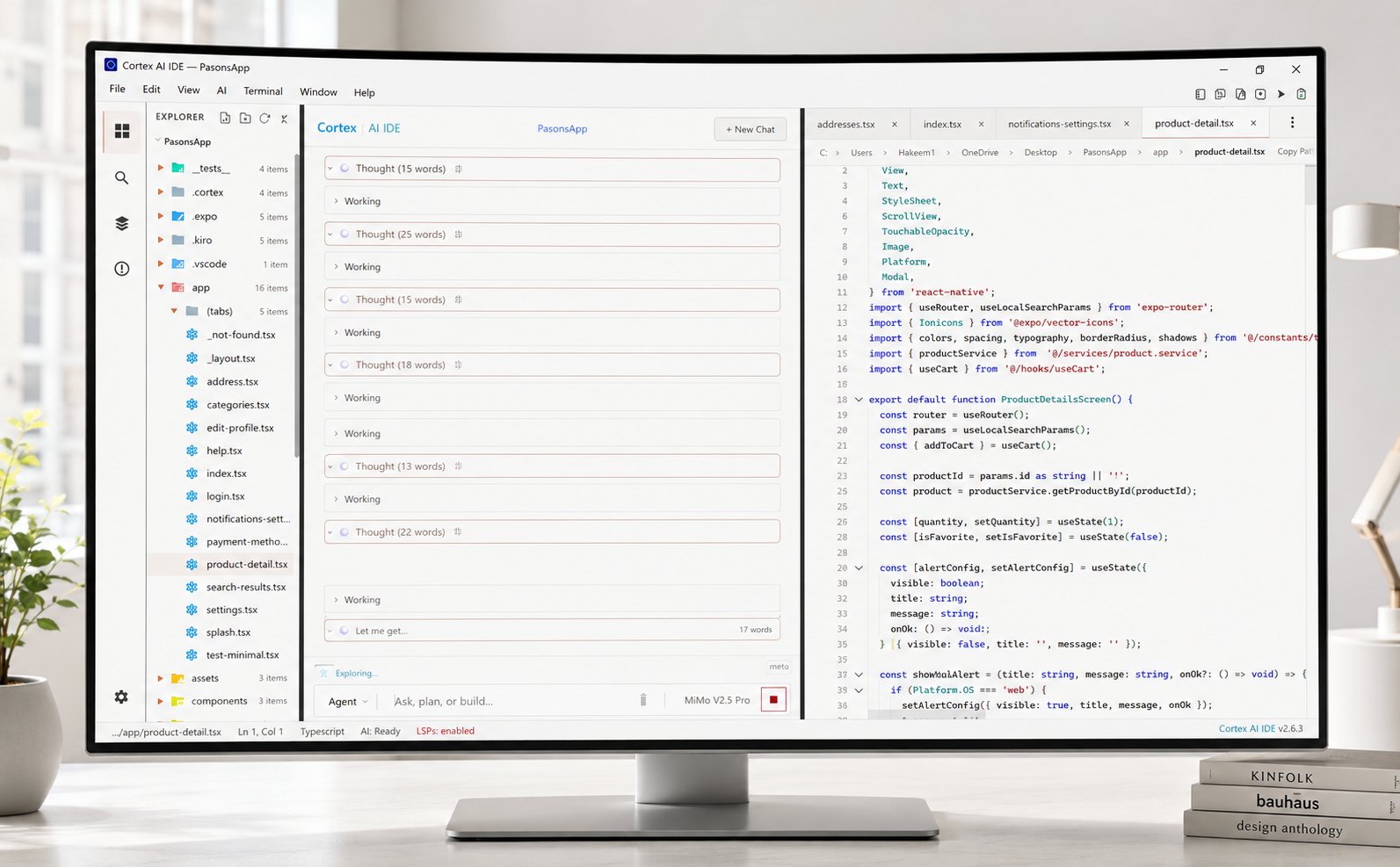
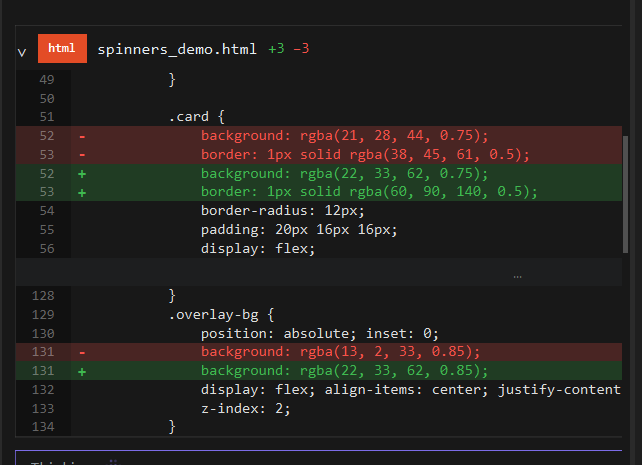
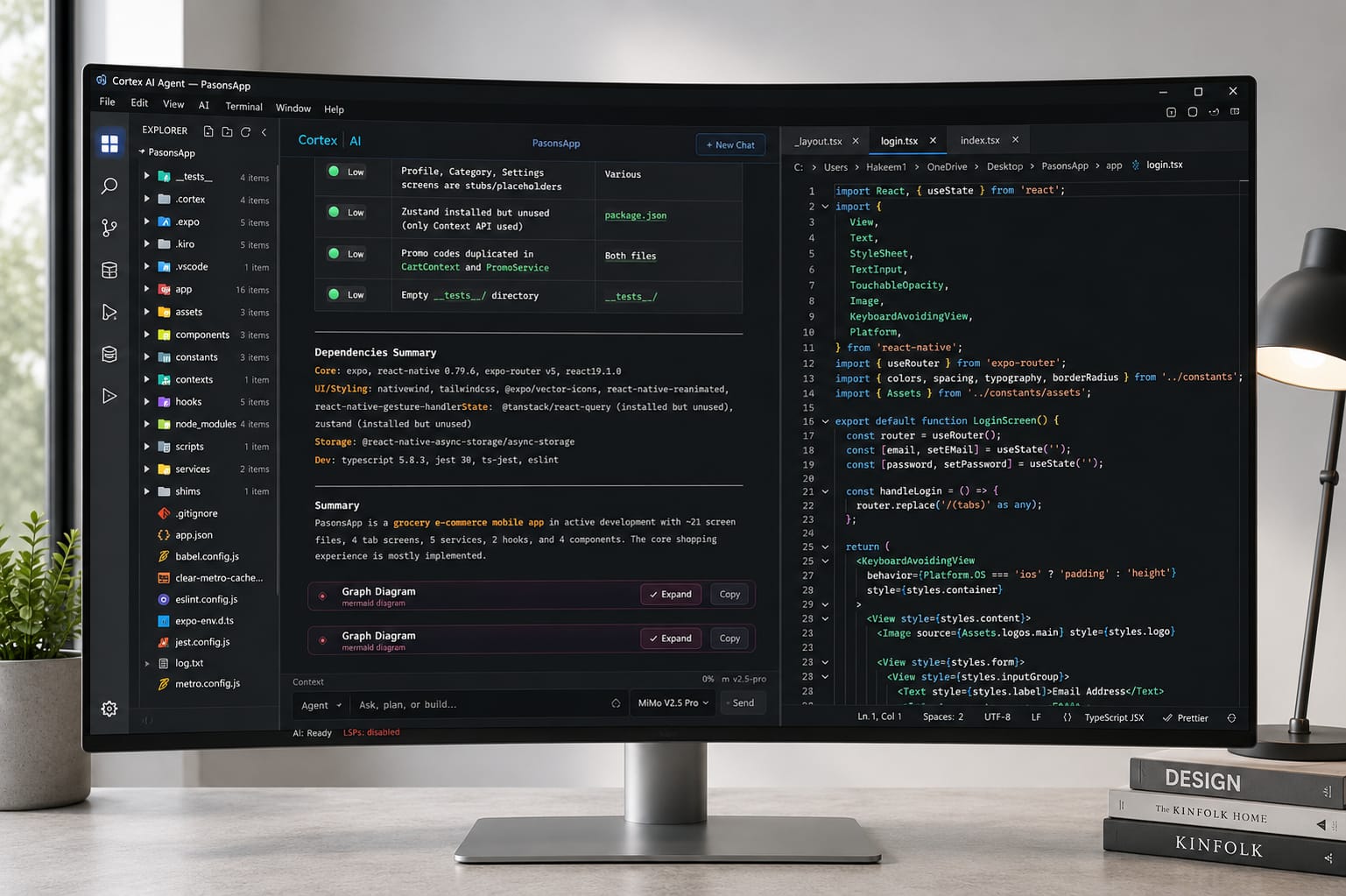
Cortex is a cross-platform agentic IDE with a built-in Monaco code editor. Describe what you want and the agent plans the change, edits across files, runs terminal commands, and verifies the result. Every file is yours to read and edit by hand, and each change lands as a reviewable diff.

What is Cortex AI IDE?

From idea to working code
Cortex is built for more than autocomplete. Give the agent a goal and it can explore your project, understand the surrounding code, edit multiple files, run commands, inspect the output, and iterate when something fails. You can review changes before they are finalized, or use Plan Mode to see the implementation approach before editing begins.
How agents work →Everything you need to build
Work across the full codebase, run and verify commands, and use the tools you already know without leaving the editor.
Is Cortex AI IDE free to use?
What you get with and without Pro
Every core coding feature is free with your own API key. Pro is the optional subscription, and it adds the managed Cortex services on top.
| Feature | Free (BYOK) | Pro (optional) |
|---|---|---|
| AI coding agent | Included | Included |
| Full codebase context | Included | Included |
| Terminal & Git tools | Included | Included |
| MCP server connectors | Included | Included |
| Hosted semantic search | Not included | Included |
| Web search & fetch (RAG) | Not included | Included |
| Voice input | Not included | Included |
| Telegram bot, your agent in your pocket | Not included | Included |
| Priority support (24h) | Not included | Included |
Build with an agent
on your side
Open your project, choose your model, and give Cortex a goal. Review the plan, inspect the diff, and ship when you are ready.
What do developers ask about Cortex?
The most common questions cover BYOK setup, supported providers, model switching, data privacy, and what you can build. Each answer below is a straight, no-fluff response.
Get answers to commonly asked questions
Straight answers for developers who build with Cortex every day.
BYOK means Bring Your Own Key. You connect an API key from a supported AI provider and pay that provider directly for model usage.
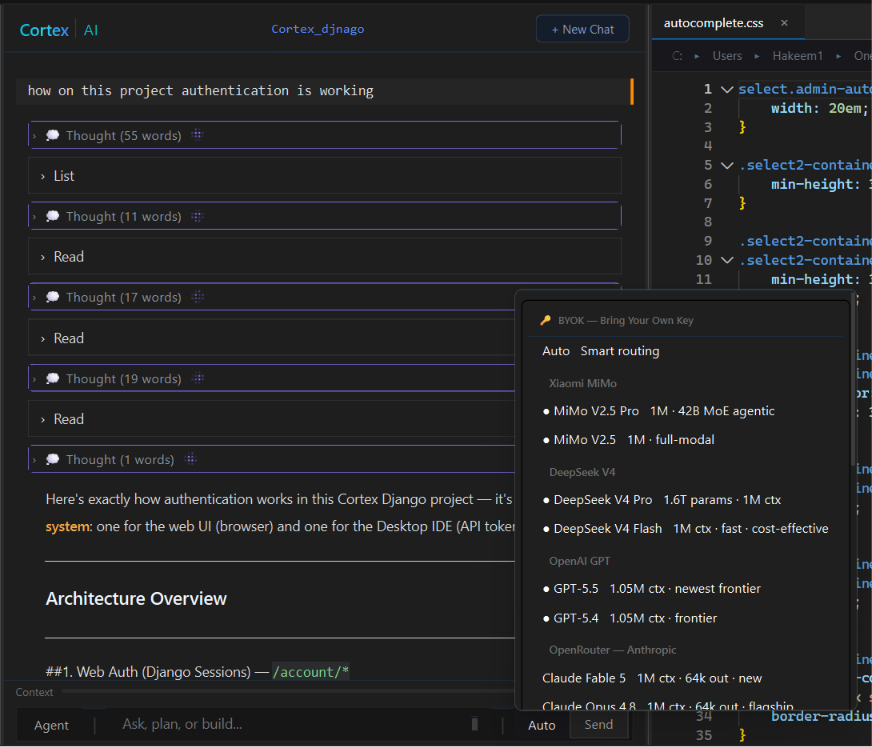
Cortex supports seven built-in provider integrations: Xiaomi MiMo, DeepSeek, Anthropic, OpenAI, OpenRouter, Alibaba Qwen, and Google Gemini. Beyond those, BYOP (Bring Your Own Provider) connects any OpenAI-compatible endpoint, hosted or running on your own machine. Available models and context limits depend on the provider and model you select.
Yes. Enable the providers you want in Settings, then choose between available models from the agent interface.
No. BYOK keys are stored locally in your operating system's secure credential store and are not sent to Cortex servers.
For BYOK model requests, Cortex connects directly from your machine to the selected provider over TLS rather than routing the request through Cortex servers.
Open Settings → Models & Providers, select a provider, and enter your API key.
Cortex can work across many software projects, including Python and Django backends, Node.js services, web applications, Electron apps, React Native projects, Android apps, and desktop software. Its usefulness depends on the tools, language support, model, and project environment you choose.
Each project can keep its own local memory under .cortex/memory/. Chat history is also stored locally so context remains associated with the project.
Skills are reusable instruction sets for specialized workflows. Cortex includes 250+ built-in skills, and you can enable, inspect, customize, or add skills for your own projects.
Pro is the optional subscription. It adds the managed Cortex services: hosted semantic search and embeddings, web search and fetch, voice input, the Telegram bot that reports runs to your phone, and priority support. Pro is not required for BYOK coding or for MCP servers, which are free.
Yes. The IDE and BYOK workflow can be used without a required subscription.
Cortex runs natively on Windows 10/11 and Linux (.deb and .rpm). No WSL or container is needed. These builds are signed and update automatically.
macOS: there is no signed release yet. You can build Cortex for Mac yourself by following the official macOS port guide. It takes about 45 minutes, or you can use the ready-made GitHub Actions build. Mac builds are unsigned and do not auto-update.
No. Cortex AI IDE is an independent desktop code editor, and it is not affiliated with Snowflake Cortex or Cortex CoCo, Palo Alto Networks Cortex, cortex.io, or opencortexide.com. This site is the one with the built-in Monaco editor, the local agentic loop, and BYOK keys that stay in your operating system's credential store.