Build software
with an AI agent

that understands your project.

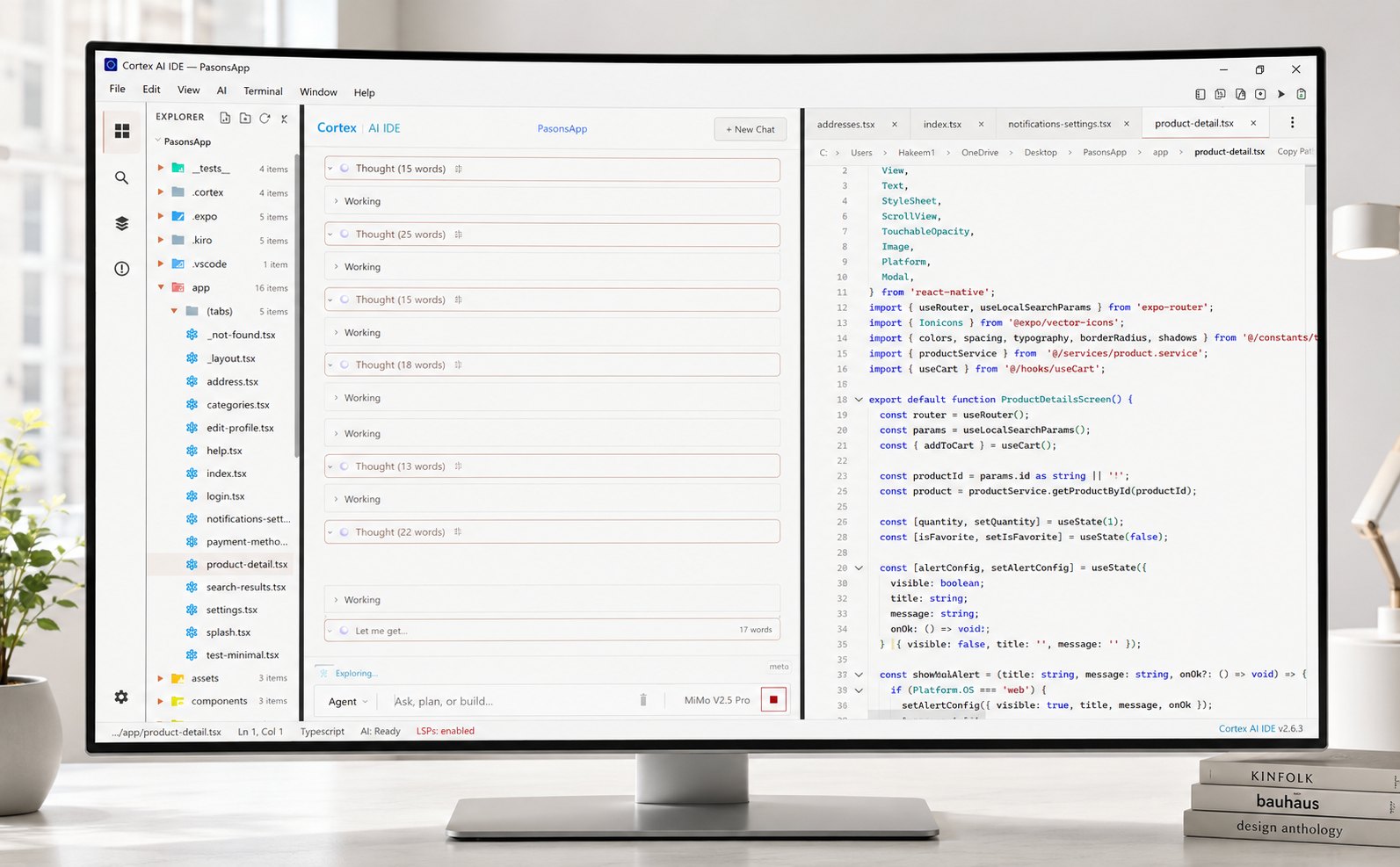
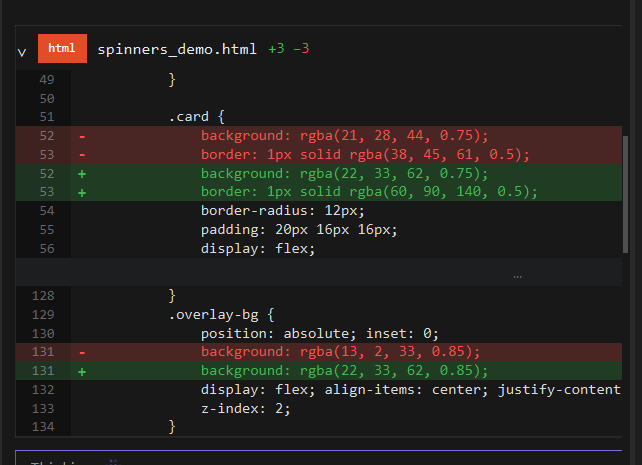
Cortex AI IDE is a cross-platform agentic coding workspace. Describe what you want, and the agent plans the change, edits across files, runs terminal commands, and verifies the result. Each change lands as a reviewable diff.

Animated preview of the Cortex AI IDE and its agent terminal working on a task, over a painted landscape background.
13 Agent tools
8 BYOK providers
MCP Server support
Cross-platform Native apps
Overview

What is Cortex AI IDE?

Describe it. The agent ships it.

Cortex runs the full agentic loop — read, think, edit, verify. State your intent in plain language and the agent plans the change across files, runs terminal commands, and checks the result. Your codebase is the context and your keys stay local. Each change lands as a reviewable diff. See how the agentic loop works step by step.

Cross-platform local-first diff review before merge
Read full codebase indexed
Think plan before touching files
Edit multi-file, terminal included
Verify runs it, checks the result

Your keys, your models, your budget

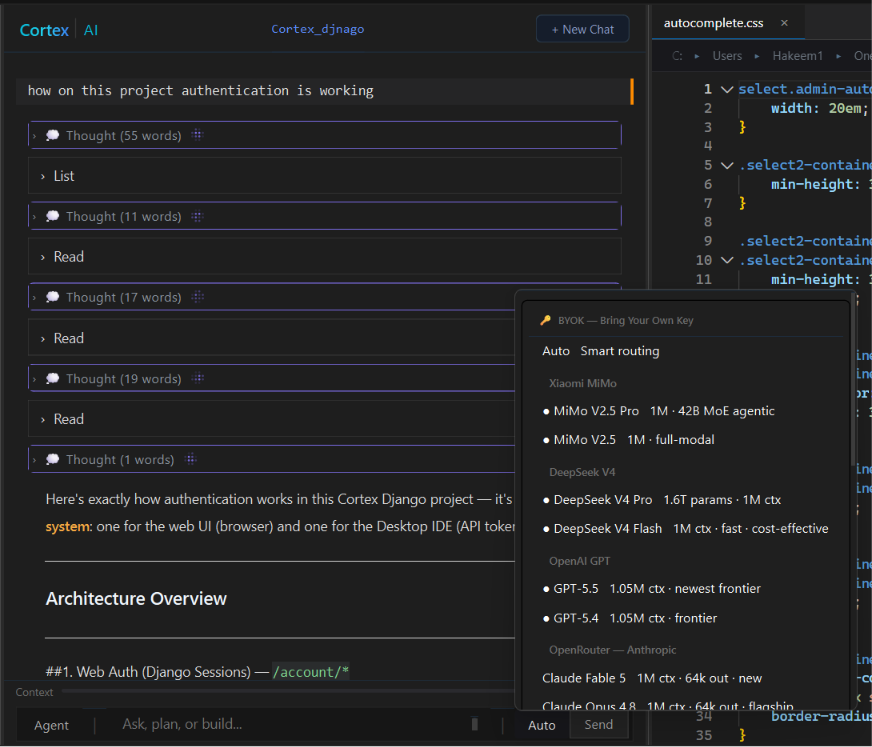
Cortex is not tied to a single model provider. Connect your own API keys and switch models when your task, budget, or preferred provider changes. You pay the model provider directly. Cortex does not mark up or resell your BYOK usage. New to the model? Read what BYOK means and why it changes the maths.

0% markup keys stay local swap anytime
openai-compatible
token plans + direct apis
free models via OpenRouter
MiMo DeepSeek Claude GPT-5 OpenRouter Qwen
250+ skills

More than a general-purpose agent

Cortex includes 250+ skills for focused development workflows such as debugging, refactoring, documentation, SEO, design reviews, and project-specific tasks.

Enable from Settings

Toggle skills on from the Settings → Skills panel. Enabled skills guide the agent on every message.

Call with / commands

Type / in the chat input to call a skill by name (one or several) and watch the active skill in the status bar.

Customize or add your own

Edit any skill in the built-in Monaco editor, or add compatible skill files to your own projects.

Project memory

Context that stays with your project

Local, per-project context

Cortex keeps project context locally so you can return to work without rebuilding the same context from scratch. Project memory is stored under .cortex/memory/, while chat history is kept locally in a project-specific SQLite database. Everything stays separate, local, and available when you reopen the IDE.

.cortex/memory/
project.sqlite
restored on reopen
Xiaomi MiMo V2.5 DeepSeek V4 Anthropic Claude OpenAI GPT-5 OpenRouter Alibaba Qwen Google Gemini InferenceHub Xiaomi MiMo V2.5 DeepSeek V4 Anthropic Claude OpenAI GPT-5 OpenRouter Alibaba Qwen Google Gemini InferenceHub Xiaomi MiMo V2.5 DeepSeek V4 Anthropic Claude OpenAI GPT-5 OpenRouter Alibaba Qwen Google Gemini InferenceHub
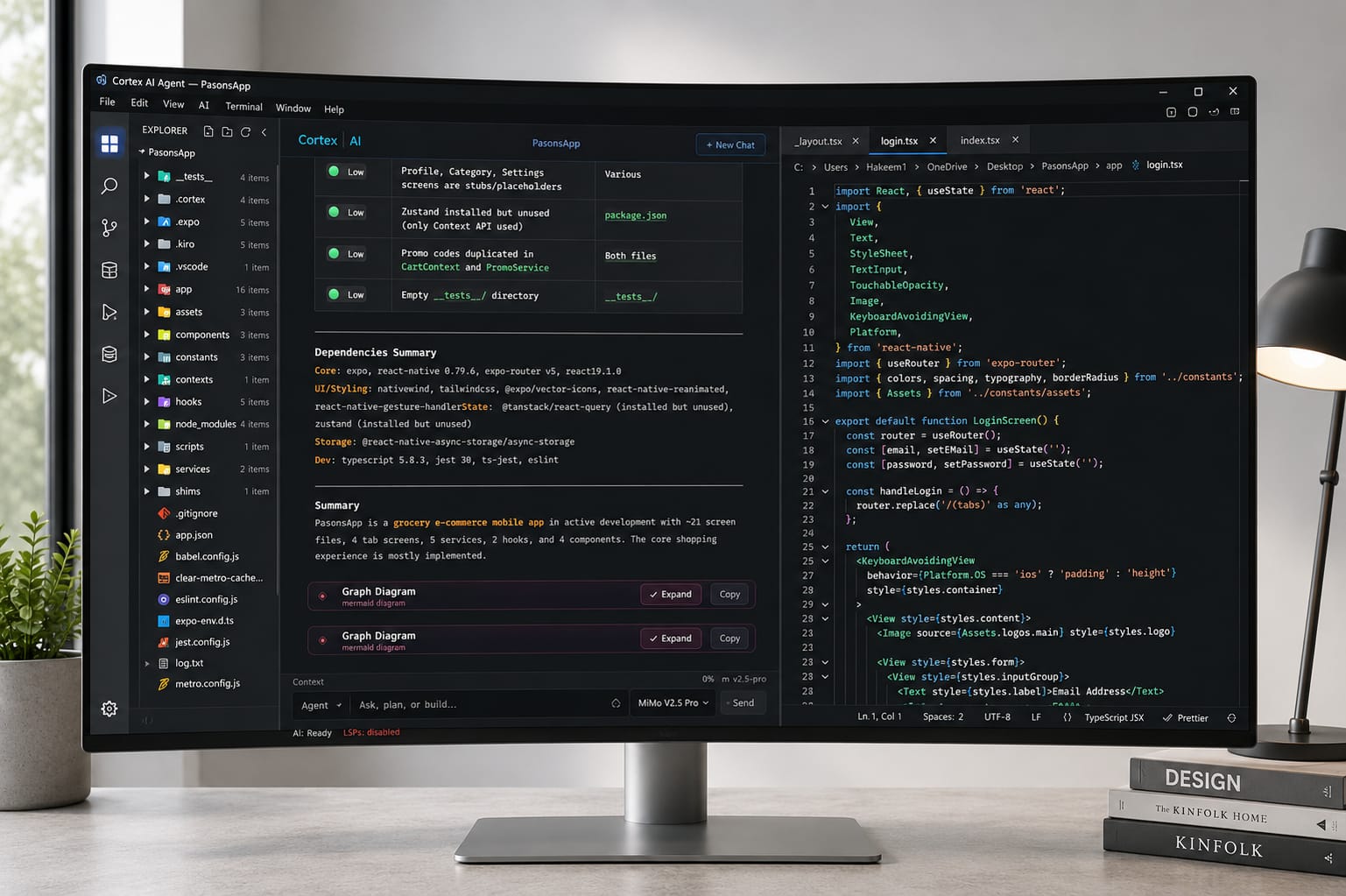
Cortex AI IDE editor with agent panel, split workspace Cortex AI IDE agent chat with thought stream and tool calls Cortex AI IDE diff viewer reviewing an agent edit Cortex AI IDE dark mode editor with inline agent suggestions

From idea to working code

Cortex is built for more than autocomplete. Give the agent a goal and it can explore your project, understand the surrounding code, edit multiple files, run commands, inspect the output, and iterate when something fails. You can review changes before they are finalized, or use Plan Mode to see the implementation approach before editing begins.

How agents work →
Polish the pricing page hero
Thought6s Tighten the headline and lift the CTA contrast.
Read pricing.html · styles.css
Searched 4 files for “hero-cta”
pricing.html+38−12
styles.css+21−6
Questions Keep the gold CTA, or try azure? GoldAzure
Ask a follow-up…
pricing.htmlstyles.cssplan.md
cortex / templates / pricing.html
Pricing hero polish 1. Headline: one line, no wrap at 1280px. 2. CTA: gold fill, azure on hover. 3. Verify: screenshot + contrast check.
Tasks 0/3
Tighten headline Lift CTA contrast Verify in preview…
One workspace for real development

Everything you need to build

Work across the full codebase, run and verify commands, and use the tools you already know without leaving the editor.

Built-in developer tools

Use file read/write/edit, terminal commands, grep, glob, semantic search, web search, Git, LSP tools, task tracking, and more from the agent workflow.

Work across the full codebase

Semantic search helps Cortex find code by meaning, not just exact text. The agent follows relationships across files and works with the architecture of your project.

Run and verify

Cortex can execute commands, read terminal output, run tests, and use the results to correct its work.

MCP support

Connect Model Context Protocol servers to extend Cortex with your own tools and services.

Native across platforms

Cortex runs directly on your operating system. No WSL or container is required.

Security

Your keys stay on your machine.

API keys are stored in your operating system's secure credential store and protected with native OS encryption. BYOK requests go directly from your machine to the selected AI provider instead of being proxied through Cortex servers.

  • ✓Local key storage. Keys are stored in your operating system's secure credential store.
  • ✓Direct provider requests. Your model traffic goes directly to the provider you choose.
  • ✓No plaintext key files. Keys are not written to ordinary configuration files or logs.
  • ✓No provider lock-in. Change providers or models whenever you want.
Pricing

Is Cortex AI IDE free to use?

What you get with and without a subscription

Every core coding feature is free with your own API key. The subscription adds managed Cortex services on top.

Feature Free (BYOK) Optional Subscription
AI coding agent
Full codebase context
Terminal & Git tools
Hosted semantic search
Web search & fetch (RAG)
Voice input & OCR
Priority support (24h)

Build with an agent
on your side

Open your project, choose your model, and give Cortex a goal. Review the plan, inspect the diff, and ship when you are ready.

Cross-platform · 64-bit · BYOK, 8 providers
TypeScript JavaScript Python Go C# C++ Java Rust HTML CSS Markdown Spreadsheet PDF TypeScript JavaScript Python Go C# C++ Java Rust HTML CSS Markdown Spreadsheet PDF TypeScript JavaScript Python Go C# C++ Java Rust HTML CSS Markdown Spreadsheet PDF

What do developers ask about Cortex?

The most common questions cover BYOK setup, supported providers, model switching, data privacy, and what you can build. Each answer below is a straight, no-fluff response.

Get answers to commonly asked questions

Straight answers for developers who build with Cortex every day.

BYOK means Bring Your Own Key. You connect an API key from a supported AI provider and pay that provider directly for model usage.

Cortex supports eight provider integrations: Xiaomi MiMo, DeepSeek, Anthropic, OpenAI, OpenRouter, Alibaba Qwen, Google Gemini, and InferenceHub. Available models and context limits depend on the provider and model you select.

Yes. Enable the providers you want in Settings, then choose between available models from the agent interface.

No. BYOK keys are stored locally in your operating system's secure credential store and are not sent to Cortex servers.

For BYOK model requests, Cortex connects directly from your machine to the selected provider over TLS rather than routing the request through Cortex servers.

Open Settings → Models & Providers, select a provider, and enter your API key.

Cortex can work across many software projects, including Python and Django backends, Node.js services, web applications, Electron apps, React Native projects, Android apps, and desktop software. Its usefulness depends on the tools, language support, model, and project environment you choose.

Each project can keep its own local memory under .cortex/memory/. Chat history is also stored locally so context remains associated with the project.

Skills are reusable instruction sets for specialized workflows. Cortex includes 250+ built-in skills, and you can enable, inspect, customize, or add skills for your own projects.

The optional subscription provides managed Cortex services such as hosted semantic search and embeddings, web search and fetch, OCR fallback, MCP services, voice input, and priority support. The subscription is not required for BYOK coding.

Yes. The IDE and BYOK workflow can be used without a required subscription.

Cortex is available now for Windows and Linux: it runs natively on Windows 10 and 11 and Linux, with no WSL or container required, and your project stays on your machine. macOS is available via the official build guide.