Download Cortex
Cortex is a free AI coding IDE for Windows and Linux. On macOS, build it yourself from the official port guide. Pick your installer, add an API key, and start building.
- A calmer chat: the AI’s messages stay in view, and every command, search and edit folds into one line
- MCP servers are now free for everyone, no subscription needed
- High-contrast and distinct-colour themes for easier reading
- “Allow always” is remembered for each project, and long tasks always end with a summary
Who is Cortex for?
Developers who want an AI agent that edits their whole project, not just autocomplete. Free to install, sign in with a free account, bring your own model.
Bring your own API key, choose your model, and keep control of your code.
In short: Cortex is a free AI coding IDE for Windows and Linux. Install it, add your key, and start building in under two minutes.
A free AI coding IDE with an agent that plans, edits, and runs across your whole codebase. Bring your own API key, no subscription required.
- Free to install, free account to activate, bring your own API key (BYOK)
- Agent that plans, edits, runs and verifies across your whole codebase
- 8 built-in AI providers, plus any OpenAI-compatible endpoint
- API keys stored locally, never sent to Cortex servers
How do I get started with Cortex?
Install from the Microsoft Store on Windows or grab the GitHub release on Linux, add your AI provider key, and open a project — the agent is ready in under two minutes.
Install
Get Cortex from the Microsoft Store on Windows, or on Linux download the .deb or .rpm package and run one install command. See the install guides below for the exact terminal commands. On macOS, build it from source with the official port guide. Still comparing editors? Read how to choose an AI IDE first.
Add your API key
Choose a supported AI provider during setup and add your own API key. Cortex stores it locally in your operating system's secure credential store.
Start building
Open a project and describe what you want to change. The agent can find the relevant files, make edits, run commands, and verify the result before you review the diff.
How do I install Cortex on Linux?
Pick the package that matches your distro, run one command in a terminal, and launch the app. The .deb format covers Debian-based systems; the .rpm format covers Red Hat-based systems.
Debian-based distros
For Ubuntu, Debian, Linux Mint, Pop!_OS, and other dpkg-based systems. Download the .deb, then run this in the folder where you saved it:
sudo dpkg -i cortex-ide_3.0.65_amd64.deb
sudo apt install -f
The second command resolves any missing dependencies. Then launch with cortex from a terminal, or find Cortex in your apps menu.
Red Hat-based distros
For Fedora, RHEL, CentOS, Rocky, AlmaLinux, and openSUSE. Download the .rpm, then run this in the folder where you saved it:
sudo dnf install -y ./cortex-ide-3.0.65-1.x86_64.rpm
On openSUSE, use sudo zypper install ./cortex-ide-3.0.65-1.x86_64.rpm. Launch with cortex after it finishes.
How do I build Cortex on macOS?
There is no prebuilt macOS installer yet. Instead the maintainer publishes the port itself: an authorized, step-by-step guide that names every file and line to change. Follow it, build from source, and you have a working Cortex on your Mac in about 30 to 45 minutes.
Build it yourself in four steps
Install the toolchain, clone the repository, create a virtual environment, and run the app. This is the official path from the port guide, unchanged:
brew install python@3.12 node ripgrep git
git clone https://github.com/Cortex-AI-IDE/Cortex-Desktop.git
cd Cortex-Desktop && npm install
python3 -m venv .venv && source .venv/bin/activate
python -m pip install -r requirements-dev.txt
python src/main.py
Needs Homebrew, Python 3.11+, Node 18+, and ripgrep. The first launch takes 15–20 seconds while Qt WebEngine warms up its profile — that is expected, not a hang.
The official macOS port guide
Published by the maintainer with explicit permission to build, run, modify, and share your macOS build. It is written so an agent can execute it directly, and it covers the whole port, not just the build:
- What already works on macOS, and the three real porting steps
- Replacing PowerShell with zsh or bash for the agent's shell session
- Monaco, ripgrep, and the macOS Keychain
- Packaging a
.dmg, from ad-hoc signing to notarization
Apache-2.0, with the port authorized in writing. Keep the licence and Cortex name attribution, and label your build as the macOS port — it is not Apple-notarized and does not use the automatic update channel.
What's included in the free Cortex download?
Every core coding feature is free with your own API key — the agent, codebase search, multiple file editing, and all 8 provider integrations. The optional subscription adds the services that run on our servers: semantic search, web search, and voice input.
AI agent for real project work
Cortex can work across multiple files, execute commands, inspect results, and iterate when something fails.
Full codebase context
Semantic search helps the agent understand your project beyond the file currently open, so answers and changes can reflect the structure of your codebase.
Intelligent code suggestions
Get suggestions that take your project's patterns and surrounding code into account instead of relying only on the cursor position.
Bring your own AI
Connect your own provider key and pay the provider directly. Cortex supports MiMo, DeepSeek, Anthropic, OpenAI, OpenRouter, Qwen, Google Gemini, InferenceHub, and compatible model options.
MCP and provider failover
Extend Cortex with MCP servers for external tools and services, and configure provider options for different workflows.
Native apps for Windows and Linux
Cortex runs directly on Windows and Linux without requiring WSL or a container. On macOS, the official port guide builds it from source.
What does Cortex look like installed?
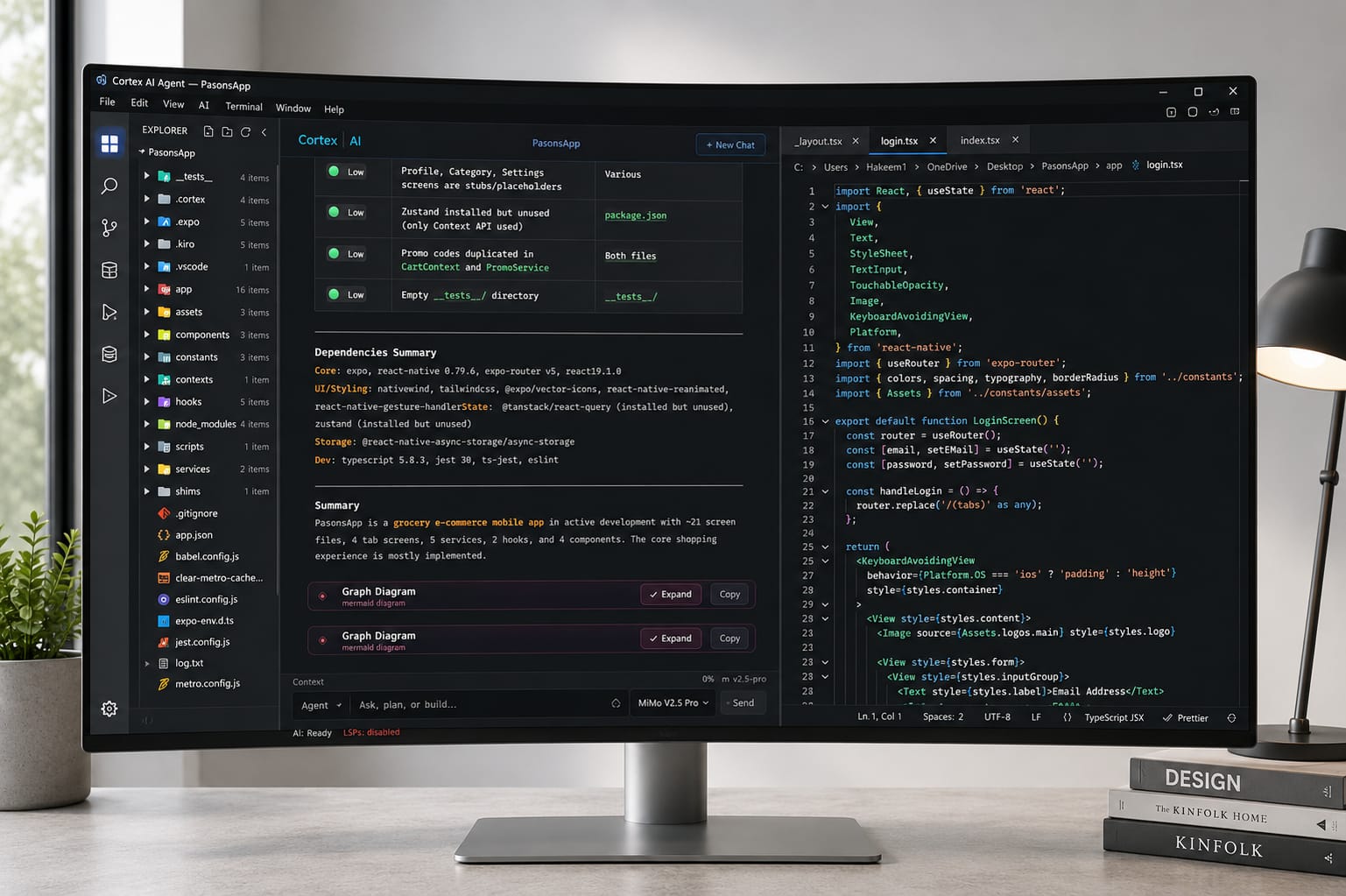
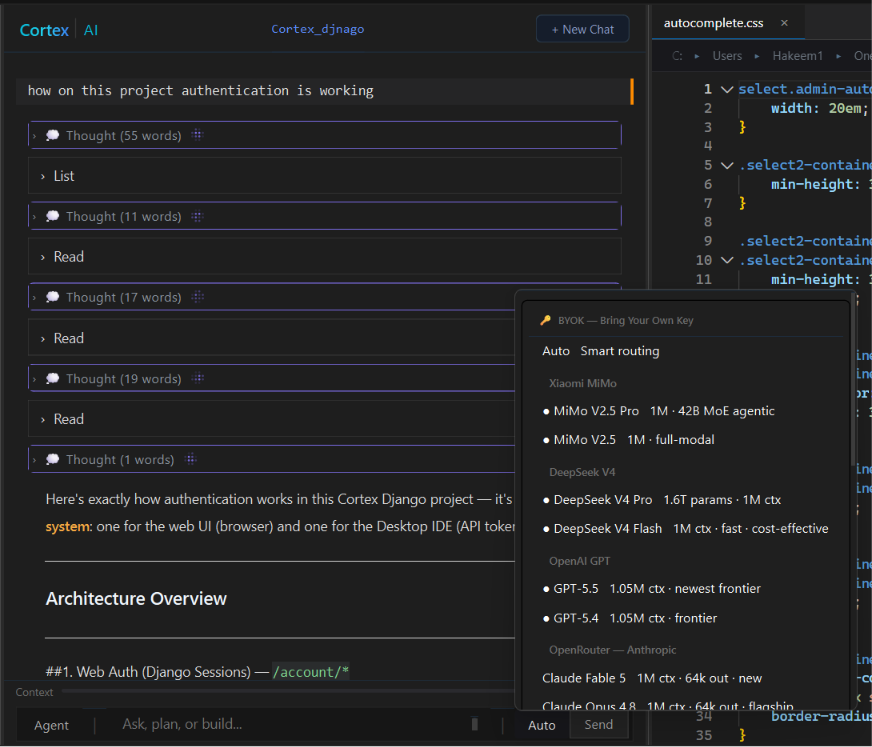
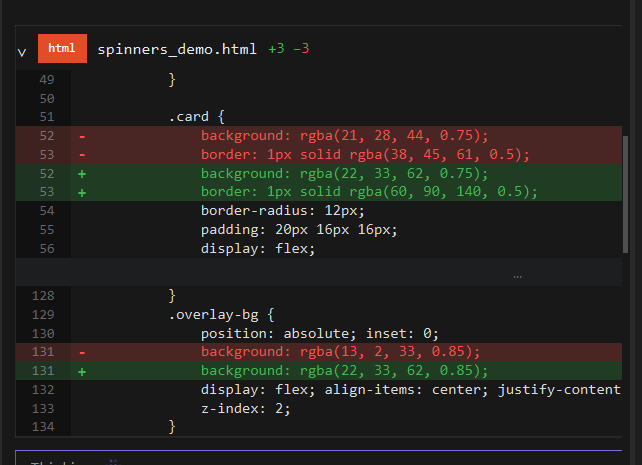
These screenshots are from the current stable release — the exact app you get when you install it.
Is Cortex really free?
Yes — every core coding feature works free with your own API key. The optional subscription adds managed platform services only.
| Feature | Free (BYOK) | Optional Subscription |
|---|---|---|
| AI agent (plan, edit, run, verify) | ✓ | ✓ |
| Codebase search (grep, glob, file tree) | ✓ | ✓ |
| 8 built-in AI providers, plus any OpenAI-compatible endpoint | ✓ | ✓ |
| Semantic search (embedding index over the whole codebase) | — | ✓ |
| MCP server connectors | — | ✓ |
| Hosted web search & live RAG | — | ✓ |
| Native image understanding (vision-capable models) | ✓ | ✓ |
| Voice input | — | ✓ |
| Priority support (24h resolution) | — | ✓ |
LLM inference is always billed by your chosen provider — Cortex never marks up model usage. Compare subscription plans →
What are the system requirements for Cortex?
Cortex runs on Windows 10 (1809+), Windows 11, or Linux with 4 GB RAM and 200 MB free disk space. On macOS, the source build needs Homebrew, Python 3.11+, Node 18+, and ripgrep.
Private by design
Your BYOK credentials stay on your machine.
API keys are stored in your operating system's secure credential store, and model requests go directly from your machine to the provider you choose over TLS. Cortex does not resell or mark up your model usage.
MCP connectors use the open Model Context Protocol specification — a standard JSON interface for external tools.
Your editor continues to work offline for local coding. AI features require an internet connection because inference runs through your selected provider.
Download FAQ
Is Cortex free?
Yes. Cortex is free to install and can be used with your own AI provider keys without a required subscription. A free account is required to activate the IDE — sign in with Google, GitHub, or email.
An optional subscription is available for managed services such as hosted web search, embeddings, and related platform features.
Which AI providers can I use?
Cortex supports eight provider integrations, including MiMo, DeepSeek, Anthropic, OpenAI, OpenRouter, Alibaba Qwen, Google Gemini, and InferenceHub.
Available models depend on the provider you connect.
Where are my API keys stored?
Your keys are stored locally in your operating system's secure credential store. They are not sent to Cortex servers.
Does Cortex use my full codebase?
Cortex can index your repository for semantic search, allowing the agent to find relevant code across the project rather than working only from the open file.
Can I use Cortex offline?
The editor can be used offline for local code editing. AI features require internet access to communicate with your selected model provider.
Why is Cortex installed through the Microsoft Store?
The Microsoft Store is the supported installation method for Cortex. The Store build is signed and verified by Microsoft and receives automatic updates.
If you previously installed Cortex using an older installer, that installation can continue to work. You can move to the Store version when you want Microsoft Store updates.
Does Cortex support Linux?
Yes. Cortex is available for Windows 10 and 11 and Linux. You can run it natively on either with no WSL or container required.
Linux installers come in two formats. The .deb is for Debian-based systems including Ubuntu, Linux Mint, and Pop!_OS. The .rpm is for Red Hat-based systems including Fedora, RHEL, CentOS, Rocky, AlmaLinux, and openSUSE.
How do I install Cortex on Linux?
Download the .deb for Debian-based distros and run the install command in the folder where you saved it. The apt install -f step clears any missing dependencies. For Red Hat-based distros, install the .rpm with dnf (or zypper on openSUSE). Then launch the app with cortex. See the install guide above for the exact commands.
Does Cortex support macOS?
There is no prebuilt macOS installer yet. The port is authorized and documented, though: the official macOS port guide walks you through building Cortex from source, and the maintainer grants explicit permission to build, run, modify, and share your macOS build.
You need Homebrew, Python 3.11 or newer, Node.js 18 or newer, and ripgrep. Budget 30 to 45 minutes for a working development build. The guide also covers packaging a .dmg, though that build is not Apple-notarized and does not use the automatic update channel.
Ready to build?
Install Cortex, connect your preferred AI provider, and open your project. See the full feature overview on the homepage or jump straight in.